UI/UX Design That Users Love
We design intuitive, beautiful interfaces in Figma — wireframes, high-fidelity mockups, interactive prototypes, and complete design systems. User-centered design that turns visitors into loyal customers.
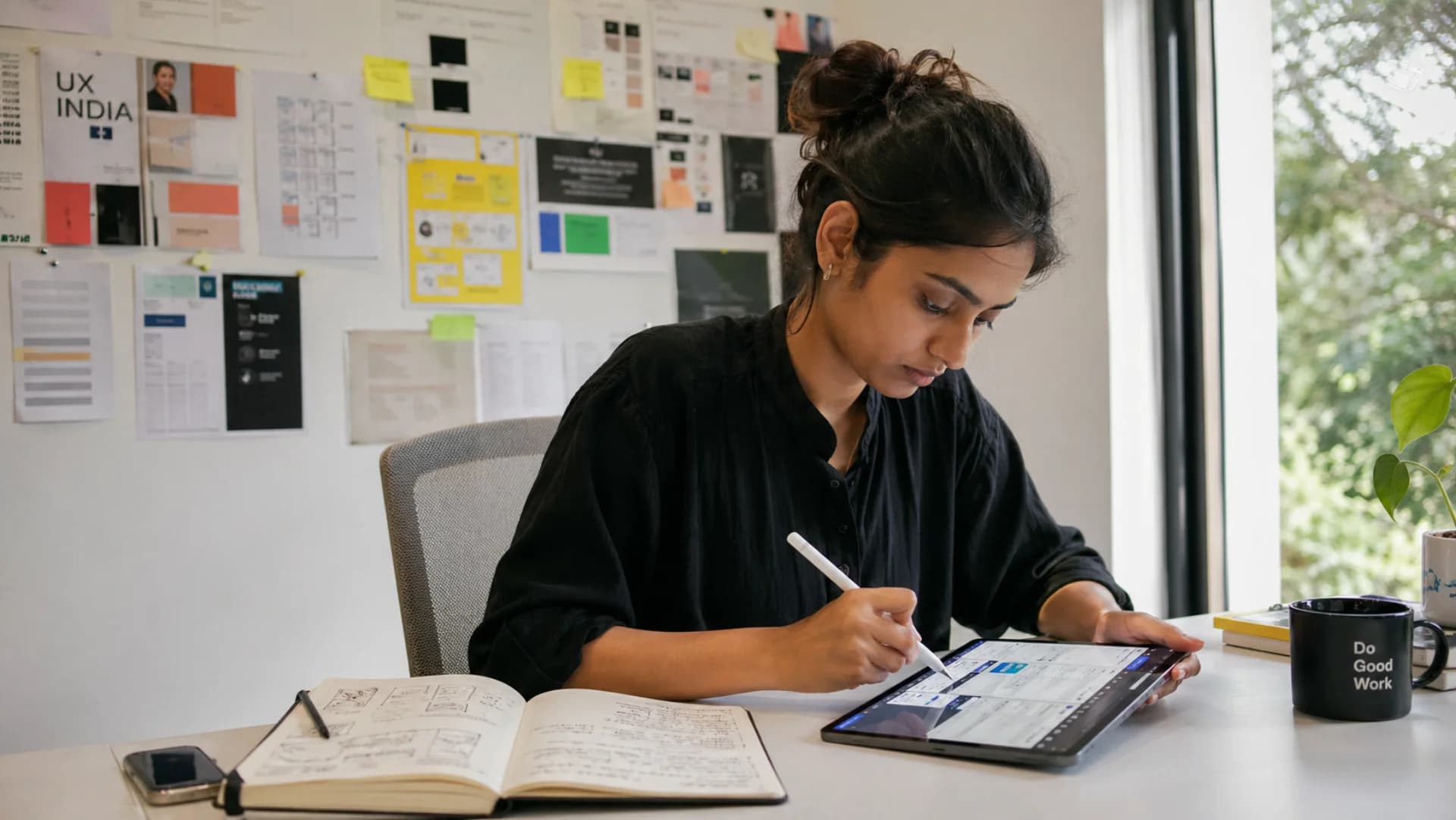
End-to-End Design Services
From initial research to developer handoff — every step is covered.
User Research & Analysis
We study your target audience, analyze competitor interfaces, and identify user pain points before drawing a single pixel. Data-driven design decisions, not guesswork.
Wireframes & Information Architecture
Low-fidelity wireframes that map out every screen, user flow, and interaction. This is the blueprint that ensures nothing is missed before visual design begins.
High-Fidelity Mockups
Pixel-perfect screen designs in Figma with your brand colors, typography, icons, and imagery. Every detail is polished and production-ready for your development team.
Interactive Prototypes
Clickable Figma prototypes that simulate the real app experience. Test navigation, transitions, and user flows before any code is written — saving time and development costs.
Design Systems & Component Libraries
Reusable UI component libraries with consistent spacing, typography, color tokens, button styles, and form elements. Your team builds faster and stays visually consistent.
Responsive & Adaptive Design
Designs optimized for mobile, tablet, and desktop breakpoints. We design for the smallest screen first, then scale up — ensuring a great experience everywhere.
Accessibility (WCAG) Compliance
Color contrast ratios, keyboard navigation, screen reader support, and focus states are designed in from the start — making your product usable for everyone.
Developer Handoff
Clean, organized Figma files with auto-layout, named layers, exported assets, spacing specs, and CSS values. Your developers can implement designs accurately without guessing.
Professional UI/UX vs DIY Design: Which is Right for You?
See how professional design compares to doing it yourself or using templates.
| Feature | Professional (Codingclave) | Canva / DIY | Template |
|---|---|---|---|
| Brand Identity | Unique, tailored to your brand | Generic, recognizable as Canva | Semi-custom, shared with others |
| User Research | Data-driven decisions | None — based on personal taste | None — one-size-fits-all |
| Conversion Rate | Optimized for conversions | Low — not conversion-focused | Average — generic layouts |
| Consistency | Full design system & tokens | Inconsistent across pages | Limited to template structure |
| Responsive Design | Pixel-perfect on all devices | Often breaks on mobile | Basic responsive support |
| Iteration | User-tested, refined designs | Trial and error | Stuck with template layout |
DIY tools and templates can get you started, but professional UI/UX design from Codingclave delivers a product that truly represents your brand, converts visitors into customers, and provides a consistent experience across every device. Our designs are backed by user research and tested for usability — not just made to look pretty.
Our Design Toolkit
Industry-standard tools for collaboration, prototyping, and design-to-code handoff.
Design Pricing
Affordable, transparent pricing for professional UI/UX design.
UI/UX Design
$300 – $2,000
- Wireframes
- High-Fidelity Mockups
- Clickable Prototype
- Design System
Our Design Process
A collaborative, iterative workflow that ensures every design decision is intentional.
Research & Discovery
We interview stakeholders, analyze your audience, review competitor interfaces, and define design goals. The output is a clear brief with user personas and feature priorities.
Wireframes & User Flows
We create low-fidelity wireframes for every screen and map out complete user journeys. You review and validate the structure before we move to visual design.
Visual Design & Prototyping
High-fidelity designs in Figma with your brand identity applied. Interactive prototypes let you click through the entire experience and share with your team for feedback.
Handoff & Support
Organized Figma files, exported assets, design tokens, and a component library. We work alongside your development team during implementation to ensure pixel-perfect results.
Design Questions
Answers to common questions about our UI/UX design services.
Do I need a UI/UX designer if I already have a developer?
Yes, and your developer will thank you for it. Professional UI/UX design eliminates guesswork during development, reduces revision cycles, and produces a product that users actually enjoy using. Developers build faster when they have clear, detailed designs to follow rather than making visual decisions on the fly.
What is the difference between UI and UX design?
UX (User Experience) design focuses on how the product works — user flows, information architecture, navigation, and solving user problems. UI (User Interface) design focuses on how the product looks — colors, typography, spacing, buttons, and visual hierarchy. We handle both as a unified process because they are deeply interconnected.
Which design tool do you use?
We primarily use Figma because it offers real-time collaboration, component libraries, auto-layout, interactive prototyping, and easy developer handoff in one tool. If your team already uses Adobe XD or Sketch, we can work with those as well. We also use Miro for whiteboarding and user journey mapping.
How many design revisions are included?
We include 2 rounds of revisions per screen in our standard pricing. In practice, because we validate wireframes before visual design, the mockup stage usually needs only minor revisions. If additional rounds are needed, we are transparent about costs upfront — no surprise invoices.
Can you redesign my existing product?
Absolutely. We start with a UX audit of your current product — identifying usability issues, conversion bottlenecks, and areas for improvement. Then we redesign with a data-informed approach, preserving what works and fixing what does not. We can do this incrementally, screen by screen, to minimize disruption.
Related Services
Need us to build what we design? We handle the full development lifecycle.
Need a Beautiful Design?
Share your project brief — we will send you a design proposal with timeline and pricing within 24 hours.
Reply Within 2 Hours
We reply within 2 hours (Mon–Sat 10:00–19:00 IST); free quote in 24 hours. No waiting days for a callback or email.
100% Free Consultation
Tell us your idea. We'll give you an honest estimate, tech recommendations, and a roadmap — free.
200+ Projects Shipped
Delivered worldwide since 2017, founder-led by Ashish Sharma.